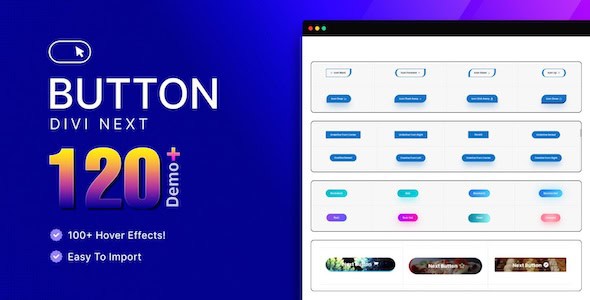
The Divi Next Button plugin is designed to significantly enhance the user experience on Divi-powered websites by providing an intuitive and visually appealing way to guide visitors through content. This essential tool empowers website owners to create seamless navigation paths, encouraging engagement and ensuring that users can effortlessly progress through sequential information, multi-step processes, or curated content flows with customizable and sleek next button designs that integrate perfectly with any Divi theme.
Understanding the Imperative for Guided Navigation
In today’s digital landscape, user experience (UX) is paramount. Websites are no longer just static repositories of information; they are dynamic platforms designed to engage, inform, and convert. While traditional navigation elements like menus, sidebars, and footers serve a crucial role in overall site structure, they sometimes fall short when it comes to guiding users through specific, sequential content. Imagine a multi-part tutorial, a step-by-step application form, a detailed product showcase, or a narrative-driven article series. In such scenarios, relying solely on a main menu or internal links can lead to user confusion, increased cognitive load, and ultimately, higher bounce rates.
Users often appreciate a clear, unambiguous path forward, especially when consuming complex or sequential information. Without a direct prompt, they might struggle to find the next logical step, leading to frustration and disengagement. This is where the concept of guided navigation becomes invaluable. By providing a prominent, context-aware “next” action, websites can gently nudge users along a predefined journey, ensuring they don’t miss crucial information and remain immersed in the content flow. This approach not only simplifies the user’s interaction but also allows content creators to dictate the narrative and ensure their message is delivered effectively, step by step.
Introducing the Divi Next Button Plugin
The Divi Next Button plugin emerges as a powerful solution to these navigation challenges, specifically tailored for the robust Divi ecosystem. It addresses the need for a more direct and engaging way to move users through content, transforming passive browsing into an active, guided experience. At its core, the plugin is engineered to provide website administrators with the ability to implement sleek, customizable “next” buttons that act as clear signposts for visitors. Its integration within the Divi framework means that it leverages Divi’s inherent flexibility and design capabilities, allowing for a truly native and harmonious addition to any Divi-built site.
Far beyond a simple button, the Divi Next Button is a strategic tool for enhancing user flow, increasing content consumption, and ultimately, achieving website goals. It recognizes that a well-placed, visually appealing, and functionally intuitive next button can be the difference between a user abandoning a complex process and successfully completing it. By focusing on both aesthetics and functionality, the plugin ensures that the guided navigation it provides is not only effective but also contributes positively to the overall visual appeal and brand consistency of the website.
Core Functionality: Effortless Content Guidance
The primary strength of the Divi Next Button lies in its ability to effortlessly guide visitors through your content. This functionality is crucial for any website that presents information in a structured, sequential manner. Instead of leaving users to navigate a maze of links or search for the next relevant piece of information, the plugin provides a clear, unmistakable call to action that directs them precisely where they need to go next. This “effortless” aspect is key to reducing user friction and improving the overall browsing experience.
Consider a few practical scenarios where this core functionality shines:
- Multi-Step Tutorials and Guides: For educational websites or blogs offering in-depth tutorials, the Divi Next Button can link each step of the guide, ensuring users follow the intended progression without getting lost. This is invaluable for complex topics where a specific order of information is critical for understanding.
- Sequential Blog Posts or Article Series: If you publish content in a series, a “Next Article” or “Continue Reading” button can seamlessly transition users from one part to the next, encouraging them to consume the entire series and stay longer on your site.
- Product Showcases and Galleries: E-commerce sites or portfolios can use the button to guide visitors through different product views, features, or project case studies. Imagine a “Next Product Image” or “View Next Feature” button that simplifies exploring a complex item.
- Step-by-Step Processes: For onboarding flows, application forms, or service request processes, the button can lead users from one stage to the next, making multi-page forms feel less daunting and more manageable. This significantly improves completion rates for critical user journeys.
- Narrative Storytelling: Websites that aim to tell a story or present information in a specific narrative arc can leverage the Divi Next Button to control the pace and direction of the user’s journey, ensuring the story unfolds as intended.
The “effortless” nature also implies ease of implementation for the website administrator. The plugin is designed to integrate intuitively with the Divi Builder, allowing users to place and configure these buttons without needing to write a single line of code. This accessibility ensures that even those with limited technical expertise can implement sophisticated guided navigation paths, making advanced UX design available to a broader range of Divi users.
Sleek and Customizable Designs: The Visual Appeal
Beyond its functional utility, the Divi Next Button plugin places a strong emphasis on aesthetics, offering “sleek and customizable next button designs” and “endless styling options.” This commitment to design ensures that the navigational elements not only perform their function but also enhance the overall visual harmony and professionalism of your Divi website. The ability to seamlessly integrate the next button into your Divi theme is a cornerstone of its design philosophy, meaning that these buttons will look like an organic part of your site, rather than an afterthought.
The “endless styling options” refer to a comprehensive suite of design controls that empower users to tailor every aspect of the button’s appearance. This level of granularity is crucial for maintaining brand consistency and ensuring the button stands out just enough to be noticed, but not so much that it clashes with the site’s aesthetic. Key customization areas likely include:
- Text and Typography: Users can define the button’s text (e.g., “Next,” “Continue,” “Read More,” “Step 2”), choose from Divi’s extensive font library, adjust font size, weight, letter spacing, and line height. This ensures the text is legible and aligns with the site’s typographic hierarchy.
- Colors: Comprehensive color controls allow for customization of the button’s background color, text color, and border color. Crucially, these options often extend to hover states, enabling dynamic visual feedback when a user interacts with the button, enhancing the interactive experience.
- Icons: To further enhance clarity and visual appeal, the plugin likely supports the addition of icons (e.g., arrows, chevrons, custom SVG icons) to the button. These icons can be positioned to the left or right of the text, and their size and color can also be customized, providing an immediate visual cue about the button’s function.
- Borders and Corners: Control over border width, style (solid, dashed, dotted), and color allows for subtle or prominent framing of the button. Border-radius options enable the creation of anything from sharp, angular buttons to soft, rounded ones, matching the site’s design language.
- Shadows: Box shadows can add depth and dimension to the buttons, making them pop off the page. Users can typically control the shadow’s color, horizontal and vertical offset, blur radius, and spread, allowing for a wide range of visual effects.
- Spacing and Padding: Precise control over internal padding (space between text/icon and button edge) and external margins (space around the button) ensures that the button is perfectly spaced within its container and doesn’t feel cramped or isolated.
- Positioning: Depending on the implementation, the plugin might offer options for fixed positioning (e.g., always visible at the bottom of the screen), relative positioning within a Divi module, or alignment options (left, center, right) to ensure it appears exactly where it’s most effective.
- Animations and Transitions: Subtle hover animations or transition effects can make the button feel more responsive and engaging, providing a polished user experience.
- Responsiveness: All styling options are inherently designed to be responsive, ensuring that the next button looks and functions perfectly across all devices, from desktops to tablets and smartphones, a critical aspect of modern web design.
This extensive array of styling options means that the Divi Next Button can be made to look like an integral part of any Divi layout, whether it’s a minimalist design, a vibrant e-commerce store, or a corporate portal. The seamless integration ensures that the guided navigation feels natural and intuitive, rather than an intrusive element, thereby reinforcing brand identity and enhancing the overall professional appearance of the website.
Increasing Engagement and Navigation Ease
The Divi Next Button is more than just a visual element; it’s a strategic tool designed to “increase engagement and navigation ease.” These two benefits are deeply interconnected and contribute significantly to a positive user experience and improved website performance metrics.
Increased Engagement:
- Reduced Cognitive Load: By providing a clear “next” action, the plugin eliminates the need for users to actively search for the subsequent piece of content. This reduction in cognitive load means users can focus more on consuming the content itself, rather than on how to navigate the site. This effortless progression keeps them immersed and engaged.
- Clear Path Forward: A well-placed next button creates a psychological commitment. Once a user clicks “Next,” they are more likely to continue along the guided path, exploring more content than they might have if left to their own devices. This structured journey encourages deeper exploration.
- Facilitating Storytelling: For content creators, the ability to guide users sequentially allows for more effective storytelling. Information can be unveiled in a logical order, building suspense, explaining complex concepts step-by-step, or leading to a specific conclusion. This controlled narrative flow keeps users hooked.
- Lower Bounce Rates: When users find it easy to move from one piece of content to the next, they are less likely to abandon the page or the site. The Divi Next Button helps to “chain” content together, encouraging longer sessions and reducing bounce rates on multi-page articles or processes.
- Encouraging Action: Beyond just content consumption, the button can guide users towards specific calls to action, such as signing up for a newsletter, downloading a resource, or making a purchase, by breaking down the conversion path into manageable steps.
Enhanced Navigation Ease:
- Unambiguous Direction: The “next” button provides an explicit instruction, leaving no room for guesswork. Users instantly understand its purpose and what will happen upon clicking it.
- Streamlined User Flow: For complex processes like multi-page forms or application procedures, the button streamlines the user flow, making daunting tasks feel more approachable and manageable. Each click represents a small, achievable step towards completion.
- Improved Mobile Experience: On smaller screens, traditional menus can sometimes be cumbersome or hidden. A prominent “next” button offers a large, easy-to-tap target that simplifies navigation, especially for users on smartphones and tablets, where finger precision might be limited.
- Accessibility: For users who might struggle with complex navigation patterns or have motor skill challenges, a large, clearly labeled “next” button provides an accessible way to move through content.
- Consistency: Once users understand the function and placement of the next button, they can anticipate its presence and behavior across different parts of the website, leading to a more predictable and comfortable browsing experience.
By simultaneously boosting engagement and simplifying navigation, the Divi Next Button plugin transforms a potentially fragmented user journey into a cohesive and enjoyable experience. It empowers website owners to take control of their visitors’ paths, ensuring that valuable content is discovered and critical actions are completed with minimal friction.
Seamless Integration with Divi
A critical aspect highlighted in the plugin summary is its ability to “seamlessly integrate the next button into your Divi theme.” This isn’t just a convenience; it’s a fundamental design principle that ensures the plugin feels like an extension of Divi itself, rather than an external add-on. Seamless integration implies several key benefits and functionalities:
- Native Divi Builder Experience: The plugin is designed to work directly within the Divi Builder interface, whether you’re using the visual builder or the backend builder. This means users can add, configure, and style the next button using familiar Divi modules and settings panels, without having to learn a new interface or switch between different environments.
- Inheritance of Divi’s Design Principles: The styling options provided by the Divi Next Button are built upon Divi’s robust design system. This ensures that any customizations made will naturally align with Divi’s responsive design capabilities, global styles, and theme customizer settings. It prevents visual conflicts and maintains a consistent aesthetic across the entire website.
- No Coding Required: True to Divi’s low-code/no-code philosophy, the seamless integration means that users can achieve sophisticated guided navigation without needing to write custom CSS, JavaScript, or PHP. All functionalities and styling are accessible through intuitive graphical user interfaces.
- Compatibility and Performance: A seamlessly integrated plugin is typically