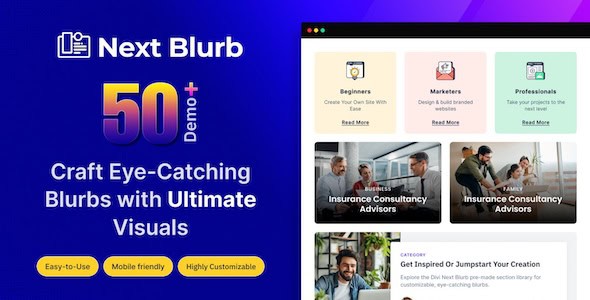
Updates for one year, unlimited sites, unlimited downloads, and regular updates.
$4.99
Divi Next Blurb is a specialized WordPress plugin designed to significantly enhance the visual appeal and interactive capabilities of Divi websites by providing an advanced solution for creating and managing blurbs. This powerful tool empowers users to move beyond the standard blurb functionalities, offering extensive customization options for styles, animations, and layouts. Its core purpose is to enable the effortless creation of stunning, dynamic, and interactive content blocks that capture user attention and elevate the overall user experience, all while maintaining seamless integration within the familiar Divi ecosystem.
At its heart, Divi Next Blurb is engineered to transform how information is presented on a Divi-powered website. Blurbs, by nature, are concise content blocks typically comprising an icon or image, a title, and a short description, often accompanied by a call-to-action button. They are indispensable for highlighting key features, services, testimonials, or any bite-sized piece of information that needs to stand out. The challenge with standard blurb modules can sometimes be their limited customization options, which can restrict creativity and brand consistency.
Divi Next Blurb addresses this by providing a robust framework that allows users to create “stunning blurbs effortlessly.” The term “stunning” implies a level of visual sophistication and polish that goes beyond basic design. It suggests the ability to craft blurbs that are not only aesthetically pleasing but also strategically designed to draw the eye and convey information effectively. This visual appeal is crucial in today’s digital landscape, where users often scan content before committing to a deeper read. An eye-catching blurb can be the difference between a user engaging with your content or navigating away.
The “effortlessly” aspect underscores the plugin’s commitment to user-friendliness. It implies that achieving these high-quality designs does not require extensive coding knowledge or a steep learning curve. Instead, users can expect an intuitive interface that simplifies the design process, allowing them to focus on content and creative expression rather than technical implementation. This ease of use is a cornerstone of the Divi experience, and Divi Next Blurb extends this philosophy to its specialized blurb module, ensuring that even those new to web design can produce professional-grade results quickly.
By enabling the creation of such high-quality, easily customizable blurbs, Divi Next Blurb directly contributes to “elevating your website.” An elevated website is one that not only looks professional but also performs better in terms of user engagement and overall brand perception. It means presenting information in a structured, visually appealing, and interactive manner that captivates visitors and encourages them to explore further. This enhancement is not merely cosmetic; it contributes to a more effective communication strategy and a more memorable online presence.
One of the most significant strengths of Divi Next Blurb lies in its comprehensive customization capabilities, allowing users to “easily customize styles, animations, and layouts.” This trifecta of control empowers designers and website owners to tailor every aspect of their blurbs to perfectly align with their brand identity and content strategy. The ability to fine-tune these elements is what truly differentiates a generic blurb from a dynamic, engaging content piece.
Customizing Visual Styles for Brand Cohesion
The styling options within Divi Next Blurb are designed to offer granular control over the aesthetic presentation of each blurb. This level of detail ensures that blurbs can seamlessly integrate into an existing website design or stand out as unique elements when desired. Visual consistency is paramount for brand recognition and a professional online presence, and the plugin facilitates this through extensive style customization.
Engaging Users with Dynamic Animations
In an increasingly interactive web environment, static content can often be overlooked. Divi Next Blurb addresses this by offering a range of animation options, transforming blurbs into “dynamic and interactive content.” Animations serve to capture attention, guide the user’s eye, and add a layer of sophistication to the user experience. They can make a website feel more alive and responsive, encouraging deeper engagement.
Flexible Layouts for Diverse Content Presentation
The arrangement of elements within a blurb, and how multiple blurbs are displayed, significantly impacts readability and visual hierarchy. Divi Next Blurb provides extensive layout customization, ensuring that blurbs can be adapted to various content types and design requirements. This flexibility is crucial for creating diverse sections on a website, from feature lists to team member profiles.
The ultimate goal of any website enhancement is to improve the user experience and achieve specific objectives, whether that’s increased time on page, higher conversion rates, or better information retention. Divi Next Blurb directly contributes to “boosting user engagement with eye-catching design elements” and “enhancing your Divi website with dynamic and interactive content.”
Eye-catching design elements are not just about aesthetics; they are about effective communication. When blurbs are visually appealing and well-structured, they make complex information more digestible and inviting. Users are more likely to pause, read, and interact with content that is presented in an attractive and organized manner. This reduces cognitive load and makes the browsing experience more enjoyable. For example, a blurb highlighting a key service, with a custom icon, a compelling title, and a subtle hover animation, is far more likely to grab attention than a plain text paragraph.
The dynamic and interactive nature of the blurbs created with this plugin plays a crucial role in maintaining user interest. Static content can quickly lead to user fatigue, but content that responds to interaction or animates gracefully keeps the user engaged. This interactivity can manifest in various ways: a blurb that subtly animates into view as the user scrolls, a call-to-action button that changes color on hover, or an icon that wiggles to draw attention. These small, thoughtful interactions contribute to a more immersive and memorable user journey. They signal to the user that the website is modern, well-maintained, and designed with their experience in mind.
Furthermore, by making content more engaging, Divi Next Blurb helps in guiding users through the website. Well-designed blurbs can act as visual anchors, breaking up long sections of text and highlighting critical pathways. They can be strategically placed to lead users to specific product pages, service descriptions, or contact forms, effectively improving navigation and encouraging desired actions. This strategic use of dynamic and interactive blurbs can significantly impact key performance indicators such as bounce rate, time on site, and conversion rates, ultimately contributing to the overall success of the website.
A critical factor for any WordPress plugin, especially one designed to extend a page builder like Divi, is its integration and usability. Divi Next Blurb promises “seamless integration and a user-friendly interface,” which are vital for ensuring that the plugin is not just powerful but also practical for everyday use by a wide range of users, from novice website owners to experienced developers.
Seamless integration within the Divi ecosystem means that the plugin behaves and feels like a native Divi module. Users can expect to find Divi Next Blurb available directly within the Divi Builder interface, whether they are using the backend builder or the visual frontend builder. This ensures a consistent workflow, eliminating the need to learn entirely new interfaces or switch between different design environments. The plugin’s options and settings are likely presented in a familiar Divi-style panel, making it intuitive for anyone already accustomed to Divi’s design controls. This deep integration minimizes conflicts, ensures compatibility with Divi’s core functionalities, and leverages Divi’s responsive design capabilities, allowing users to build with confidence.
The concept of a user-friendly interface extends beyond just integration. It implies that the controls are logically organized, clearly labeled, and provide immediate visual feedback. This means that as users adjust settings for styles, animations, or layouts, they can see the changes reflected in real-time on their website, without needing to save and refresh. This visual feedback loop is invaluable for rapid prototyping and iterative design, allowing users to experiment with different looks and feel confident